What software testing actually checks
Software testing evaluates whether actual behavior matches expected behavior. Its practical purpose is narrower and more useful than "making sure the app works": it finds defects before users encounter them, when a fix costs an afternoon instead of a support incident and a lost customer.
That definition gives you three working rules you can apply on your first day.
- A check needs an expectation. Without a written expected result there is nothing to compare against, so "it looked fine to me" is not a result.
- A result is a comparison, not an opinion. You record whether observed behavior matched the stated expectation, and how far off it was when it did not.
- The output is information someone acts on. A test nobody reads, or nobody trusts, produces no value no matter how many cases it covers.
Everything else in testing is detail layered on those three rules: the vocabulary, the process, and the tooling.
The five terms you will use every day
Most beginner confusion comes from using the same five words loosely. Each one answers a different question, and each should leave something behind that another person can read.
Term | What it means | What it leaves behind |
|---|---|---|
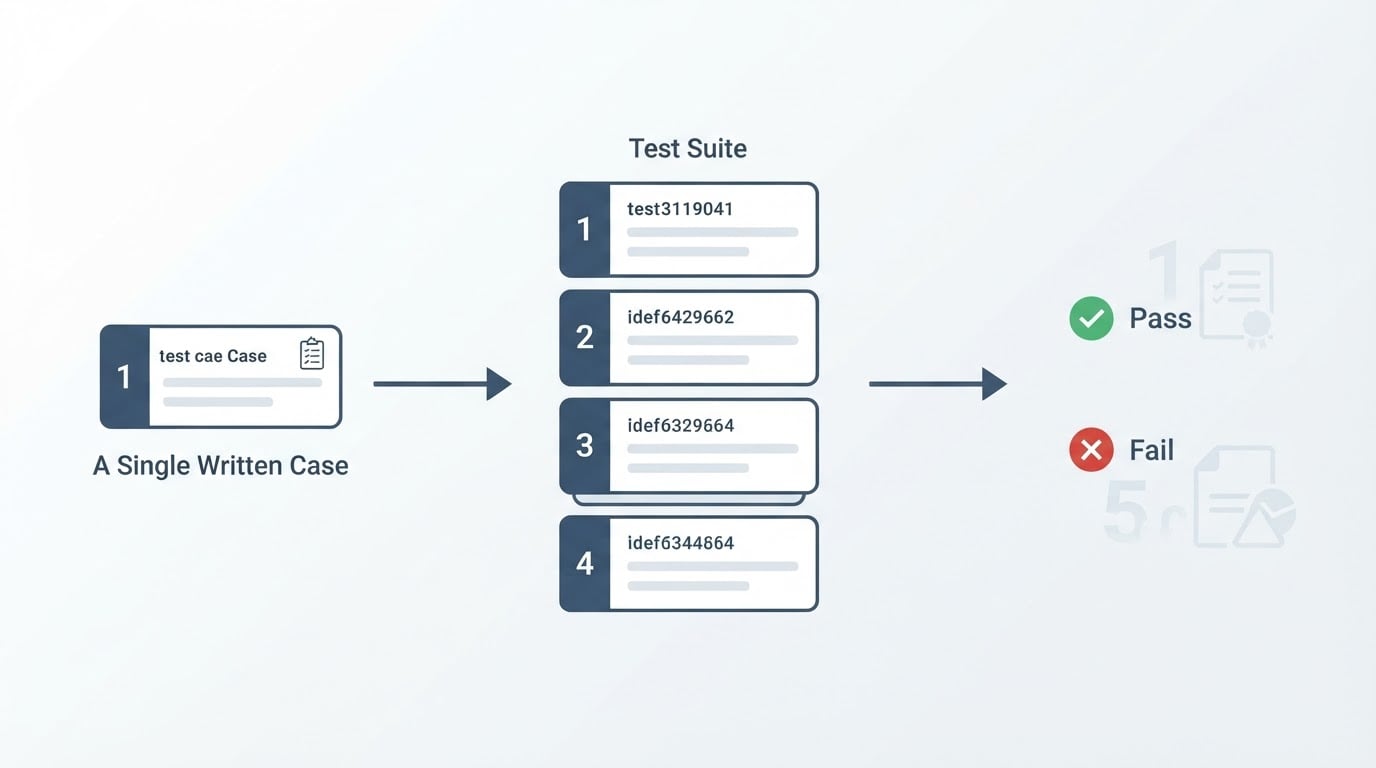
Test case | One check with a starting condition, the steps to take, and the expected result | A procedure a colleague can run without asking you anything |
Test plan | The scope of a test effort: what is covered, what is deliberately not, on which environments, in what order, and who runs it | An agreed boundary, so nobody assumes a flow was checked when it was not |
Defect | An issue or deviation where the application does not perform as expected; also called a bug | A report someone can reproduce and act on |
Verification | Checks that the software is built correctly | Evidence that the build matches its intended design |
Validation | Checks that the software satisfies user requirements | Evidence that the thing users need is the thing that was built |
Keep the pair together as one idea. Verification and validation together check that the software is built correctly and that it satisfies user requirements. When colleagues argue about where one ends and the other begins, the newcomer's version is more useful: ask both questions about the same feature, with the same evidence.
The test process, from planning to reporting
Four stages carry a test effort from an idea to a verdict. The names vary between teams, but the work does not. Notice that each stage produces something the next stage consumes.
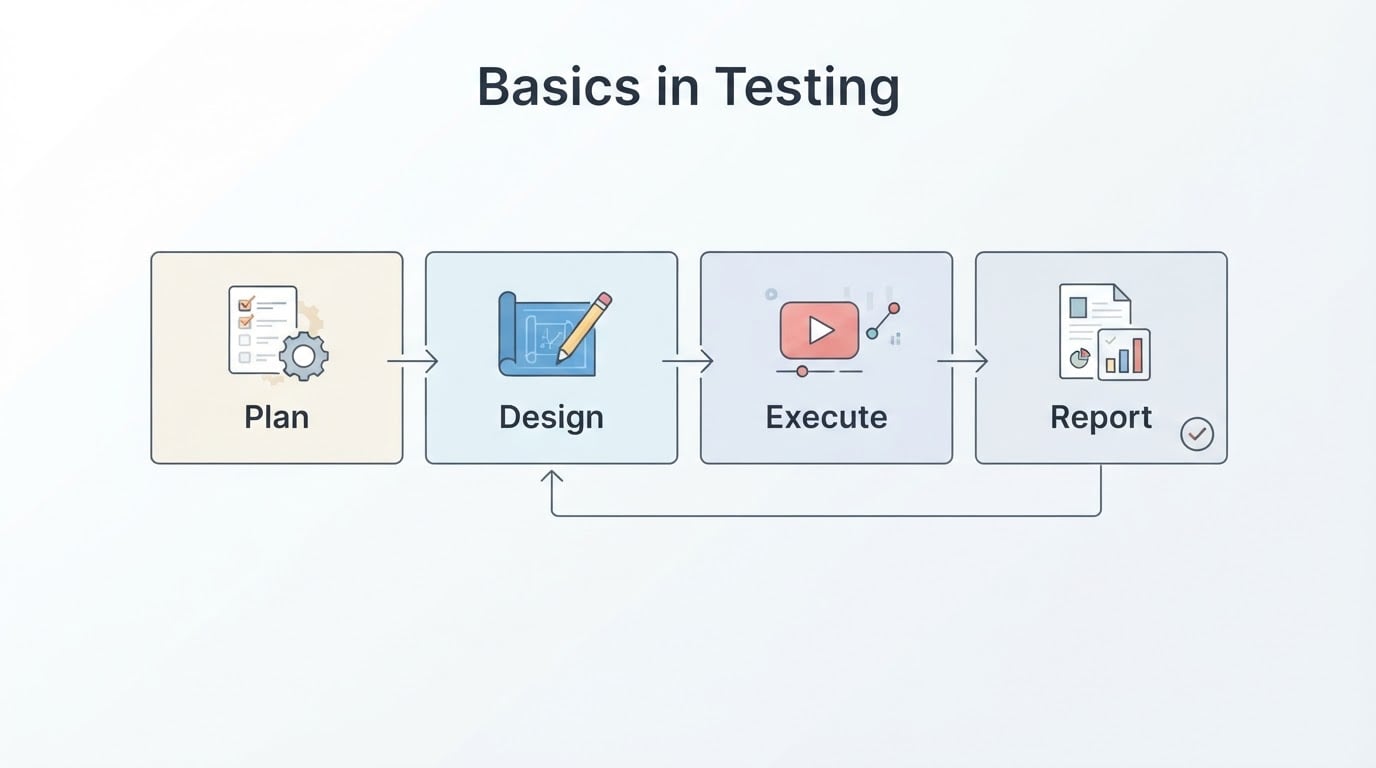
1. Plan and control. Decide what risk you are reducing. List the flows that matter most, the environments you will test on, and what you are deliberately leaving out. The output is a test plan short enough that people read it.
2. Analysis and design. Turn the requirements into test conditions, then into concrete cases with steps and expected results. This is where most of the thinking happens. A case designed here will be run dozens of times; a case designed badly will be quietly skipped after the third confusing run.
3. Implementation and execution. Prepare the test data and the environment, run the cases, and record what actually happened for each one. Actual results go down as they are, not as you hoped they would be.
4. Reporting and closure. Summarize what passed, what failed, what remains untested, and what you now recommend. The output is not a percentage. It is a short list of the risks still open at the moment someone decides to release.
The loop rarely stays linear: a failed case sends you back to design, and a design session often reveals that the requirement itself is unclear. That is not the process breaking. Finding an unclear requirement before code exists is one of the cheapest wins testing offers.
One requirement, one test case
Theory becomes concrete with a single example. Take this requirement:
Customers can reset their password from the sign-in page. The reset link arrives by email and stops working after 30 minutes.
Here it is as a test case, which is the form another person needs in order to reproduce your result.

Field | Value |
|---|---|
Case ID | PW-RESET-01 |
Precondition | A registered account exists and the tester can open its email inbox |
Test data | A known account email address; one deliberately expired reset link prepared earlier |
Step 1 | Open the sign-in page and choose the password reset option |
Expected 1 | A reset form appears that asks for an email address |
Step 2 | Submit the registered address, then open the inbox |
Expected 2 | One reset email arrives; the link opens the new-password form |
Step 3 | Open the same link again after the 30-minute window has passed |
Expected 3 | The link is rejected with a message explaining it has expired |
Actual | Recorded at run time, step by step |
Verdict | Pass only if every expected result above is met |
Two things make this case usable rather than decorative. Every step has its own expected result, so a failure points at a specific place instead of the whole flow. And the test data is written down, so the next person can produce the same conditions instead of inventing their own.
The one-question quality check: could a colleague who has never seen this feature run the case and reach the same verdict you would reach? If not, the case is not finished yet.
Functional and non-functional testing
The vocabulary gets easier once you split testing by the question it answers.
Functional testing checks whether specific features and workflows do what they are intended to do. Non-functional testing measures performance, security, load handling, and usability.
| Functional testing | Non-functional testing |
|---|---|---|
Question answered | Does this feature do what it is supposed to do? | How well does the system behave while doing it? |
Typical examples | Sign-up with a valid email; card declined; discount applied at checkout | Response time under a given number of concurrent users; who can read another account's data; whether a screen reader can complete the form |
Evidence you record | Observed outcome compared with the expected outcome | A measured value, a threshold, or a documented risk |
Common beginner mistake | Writing steps without any expected result, then debating what "working" meant | Treating a threshold as a wish, or measuring once on a fast laptop and calling it a result |
The split is practical. A functional defect sounds like "the discount was ignored"; a non-functional one sounds like "the page took nine seconds". Both are defects, and both need an expected value written down before the run.
How to read a pass and a fail
There are only two verdicts, and both come with an obligation to show the evidence.
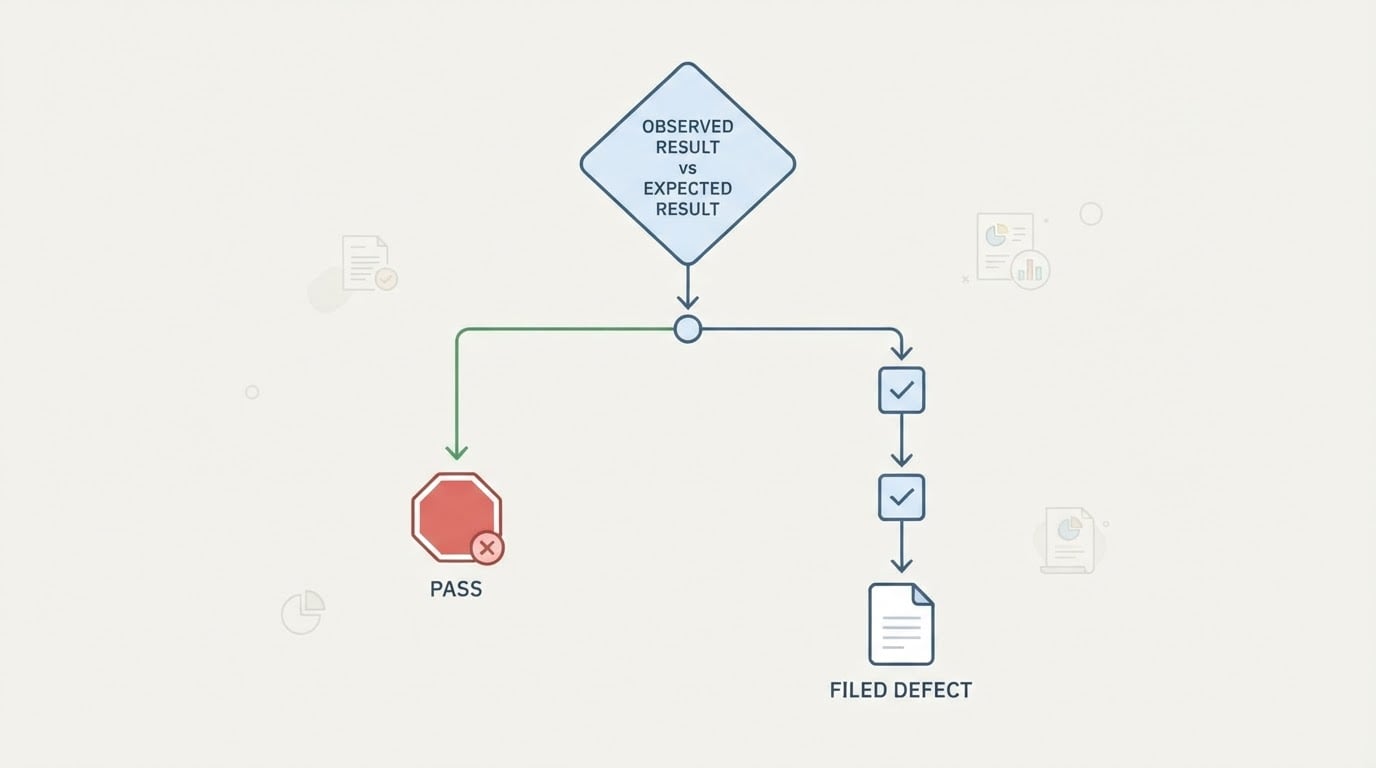
A pass means the observed behavior matched the expected result for every step, and you can say how you know. Keep the evidence even when it passes: a screenshot, a log line, the time and the environment. A pass you cannot evidence is an opinion.
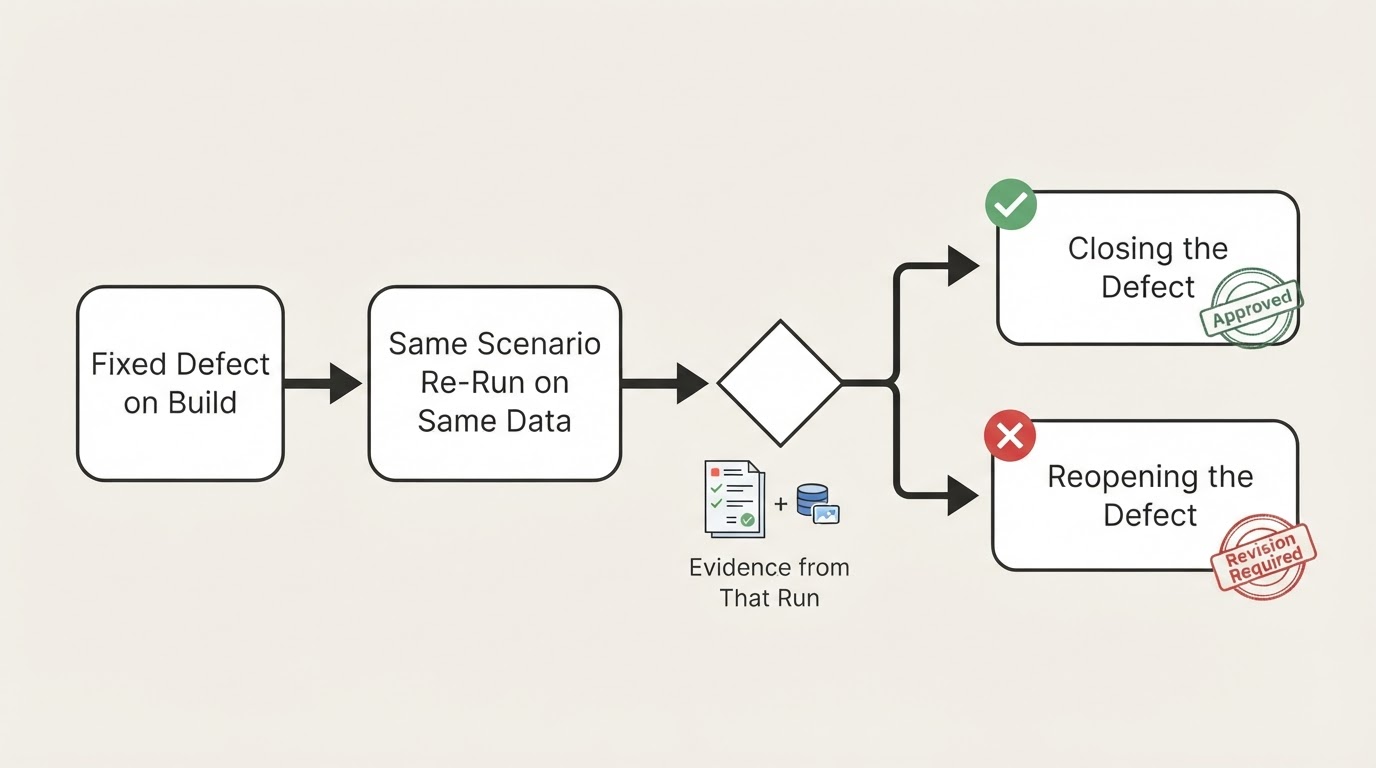
A fail means the observed behavior differed. Before you file anything, spend two minutes checking whether the difference belongs to the product or to the test:
- Is the test data right, and is the account in the state you assumed?
- Is the step written clearly enough that you did what it said?
- Did the environment change, such as a different build, browser version, or configuration?
- Is the expectation stale because the requirement was updated after the case was written?
Most genuine failures then reduce to one sentence: what you expected, and what happened instead. A useful defect report carries the environment, the preconditions, the numbered steps, the expected result, the actual result, and the evidence. Compare these two titles:
- "Checkout broken."
- "Checkout: discount code applied on the cart page is ignored in the order total (staging, desktop browser)."
The second one gives a developer a starting point, a location, and an environment. Severity and priority are separate decisions: a broken footer may be low severity but high priority for a campaign launch, and a crash in an unused admin screen may be high severity but low priority this week.
Where a browser-based check fits after the manual basics
Manual testing is where the vocabulary becomes real: you run the flow yourself, see the states, and learn which steps are fragile.
The problem arrives with repetition. The same four flows get checked before every release, by whoever is free, from memory, until one of them is skipped on a busy Friday. That is the point where a browser-based check earns its place: the same steps and expected results you wrote for the manual case get executed in a real browser against a running URL, and the verdict comes back with evidence attached.
BuniOD is one example of that approach, and the part worth copying is where the human sits in it. You describe the check in plain language, and the generated scenario stays in review until a person confirms it. In review you can read each step, change an input value, or rewrite the prompt and regenerate the whole scenario before approving it, and only confirmed scenarios are included in runs. That review pass is real work, and it is the honest cost of the design: the definition of correct stays with your team instead of being decided by the tool.
The trade-offs worth knowing early
A few uncomfortable facts save newcomers a lot of misplaced confidence.
A green run means no defects were found, not that none exist. A clean result is evidence, not proof. The cases you did not write are the ones that cannot fail.
Exhaustive testing is impossible. You cannot cover every input, browser, and sequence, so the real skill is choosing what to leave out on purpose and saying so.
Early is cheaper than late. An ambiguity caught during case design costs a conversation. The same ambiguity caught in production costs an incident review and a patch release.
Over-specified steps age badly. A case that names every click and every label breaks when the interface is rewritten, and the maintenance bill arrives later than the value. Describe the intent and the expected result precisely; describe the mechanics only as far as reproduction needs.
A check nobody trusts gets ignored. One flaky result teaches a team to skim results, and then the trustworthy failures get skimmed too. Fix or delete unreliable cases instead of living with them.
A first-week sequence with a clear finish line
If you are starting from nothing, this order works without any tooling at all.
- List the flows that must never break. For most web products that is a handful: sign-up, sign-in, the main transaction, and the billing or settings screen people use weekly.
- Write one requirement sentence for each flow, in the language the product team already uses.
- Turn each sentence into one test case with numbered steps and an expected result per step.
- Run each case manually and record the actual result, including the evidence and the environment.
- File defects with the standard fields, one defect per report, with steps that reproduce.
- Only after that, convert the highest-value repeated case into an automated check, and keep a person reviewing what it asserts.
You are finished with the basics when a case you wrote can be executed by someone else, on a build you have never touched, and they reach the same verdict you would. That transferable verdict, not the number of test cases, is the sign that your testing practice is real.