What regression testing protects
Regression testing is the practice of taking a set of tests that already passed on an earlier version of the product, running them again after something changes, and comparing the new results against those earlier results. The change can be a bug fix, a new feature, a refactor, a dependency upgrade, or a new environment. What makes the tests regression tests is that they were not written for the change. They were written for behavior that was already accepted.
That distinction separates regression testing from new-feature testing. A new feature is verified by tests you write now, against expectations you invent now. Regression testing asks a narrower and much older question: did anything that used to work stop working? If a sign-up form, a password reset, a cart calculation, or an invoice total behaved a certain way last week and behaves differently today, a regression check is what surfaces that difference before a customer reports it.
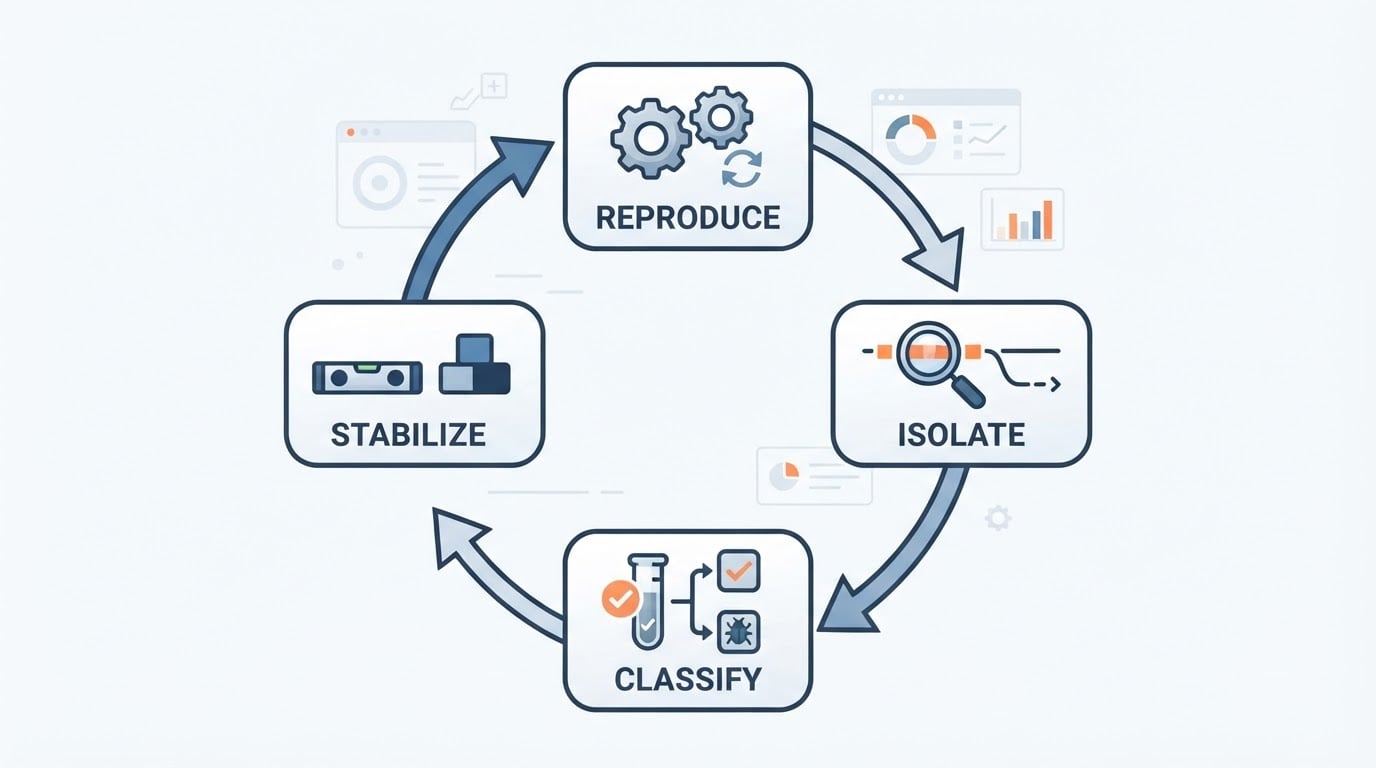
That is also the short answer to what is regression testing: it is a comparison, not an inspection. Because the question is historical, the practice depends on recorded prior behavior, and a green run on its own proves very little. The useful signal is the comparison: same check, same expected result, new run, different outcome. That is also why a red run needs a diagnosis before it needs a fix. It may be a real regression, or it may be a scenario whose expectations no longer match intended behavior.
What does regression testing cover?
Regression testing covers the behavior you have already shipped and still intend to keep. In practice that means three layers.
- Verified user paths. The flows you have tested before and expect to keep working: account creation, sign-in, password reset, search, checkout, payment, plan changes, cancellation. These are the paths where a break is immediately expensive.
- The seams between features. A change rarely stays inside one module. A pricing change can alter a cart total, which alters a confirmation email, which alters what the order record shows. Regression coverage has to reach the dependent modules, not only the code that was edited.
- Shared assumptions. Test data, seeded accounts, configuration flags, and environment setup. A test that fails because a staging account expired is not a regression, but it is the same category of breakage and needs the same attention.
What regression testing does not cover matters just as much. It does not cover behavior nobody has specified or tested yet, and it does not replace writing new tests for new functionality. Re-running an existing set will not create coverage that never existed. If a feature has no test, regression runs will keep reporting green while the feature stays unverified.
When should you run regression testing?
There are four change triggers worth treating as standard, plus one recurring cadence that does not depend on a change at all.
- After a bug fix. The fix is a code change like any other. The regression run is the evidence that fixing one path did not disturb a neighboring one, which is exactly the failure mode that produces "we fixed it, but now something else is broken" reports.
- After a new feature. A feature usually touches shared components, navigation, permissions, or data models. Re-running the existing set checks that the new code did not reorganize behavior it was not supposed to touch.
- After code refactoring. Refactoring is defined by behavior staying identical. Tests are the only practical way to check that claim, because the diff is supposed to look different while the outcomes are not.
- After an environment or system update. A browser release, framework upgrade, database migration, hosting change, or certificate rotation can change behavior without any application code change at all. These breaks are easy to miss because nobody edited anything.
The recurring run is the fifth slot. A fixed schedule, whether daily or tied to your release cadence, catches drift that no single change explains: expired test data, a dependency that shifted underneath you, a third-party integration that silently degraded. The schedule also gives you a baseline. Without a routine run, the first regression result after a quiet month is ambiguous, because you cannot tell when the break appeared.
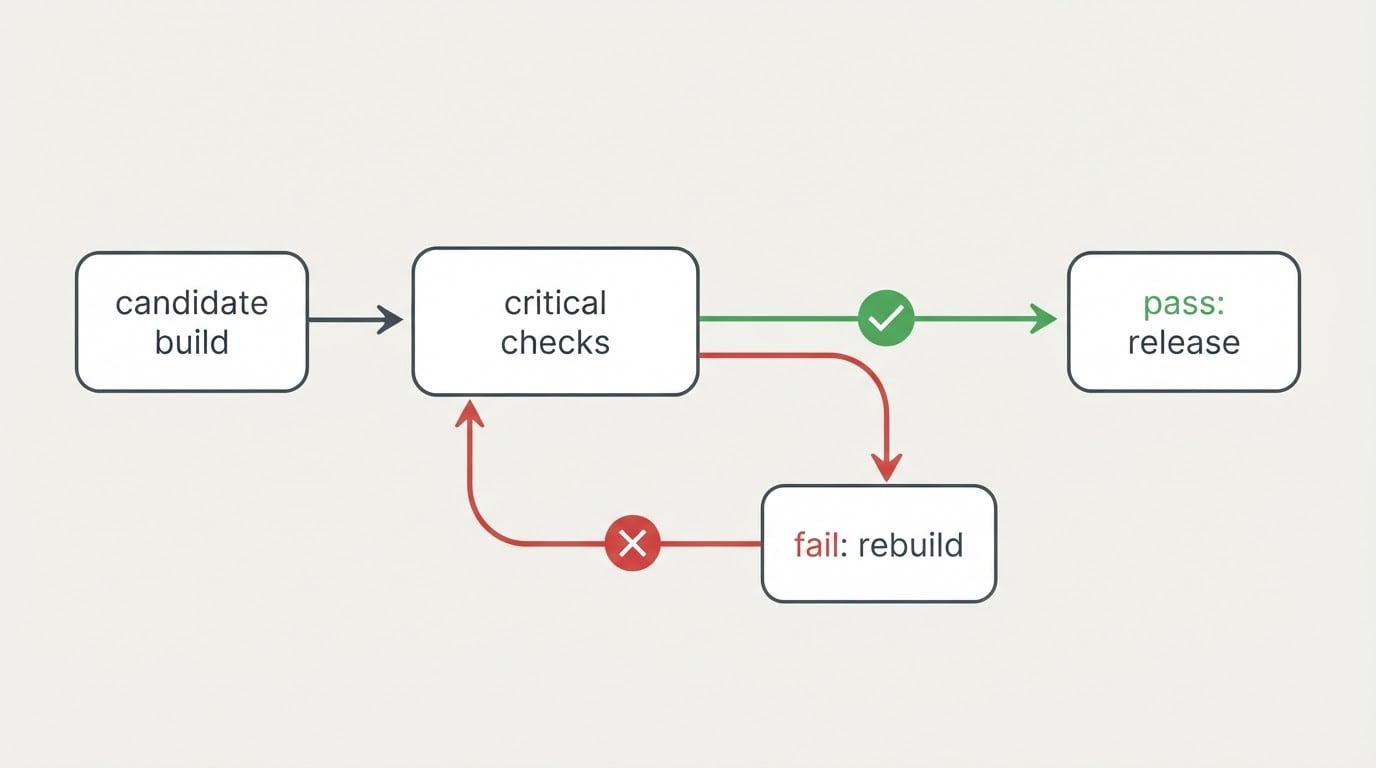
Running the set before a release is the point where these triggers converge. At sign-off, the question is not whether the change is good; it is whether the product still behaves the way it did when you last approved it. That is a comparison question, and it needs a previous result to compare against.
How do you choose which tests to re-run in regression testing?
You do not need a tool to choose a regression set. You need a written change description, a dependency trace, and a comparison against the last recorded result. The procedure has five steps.
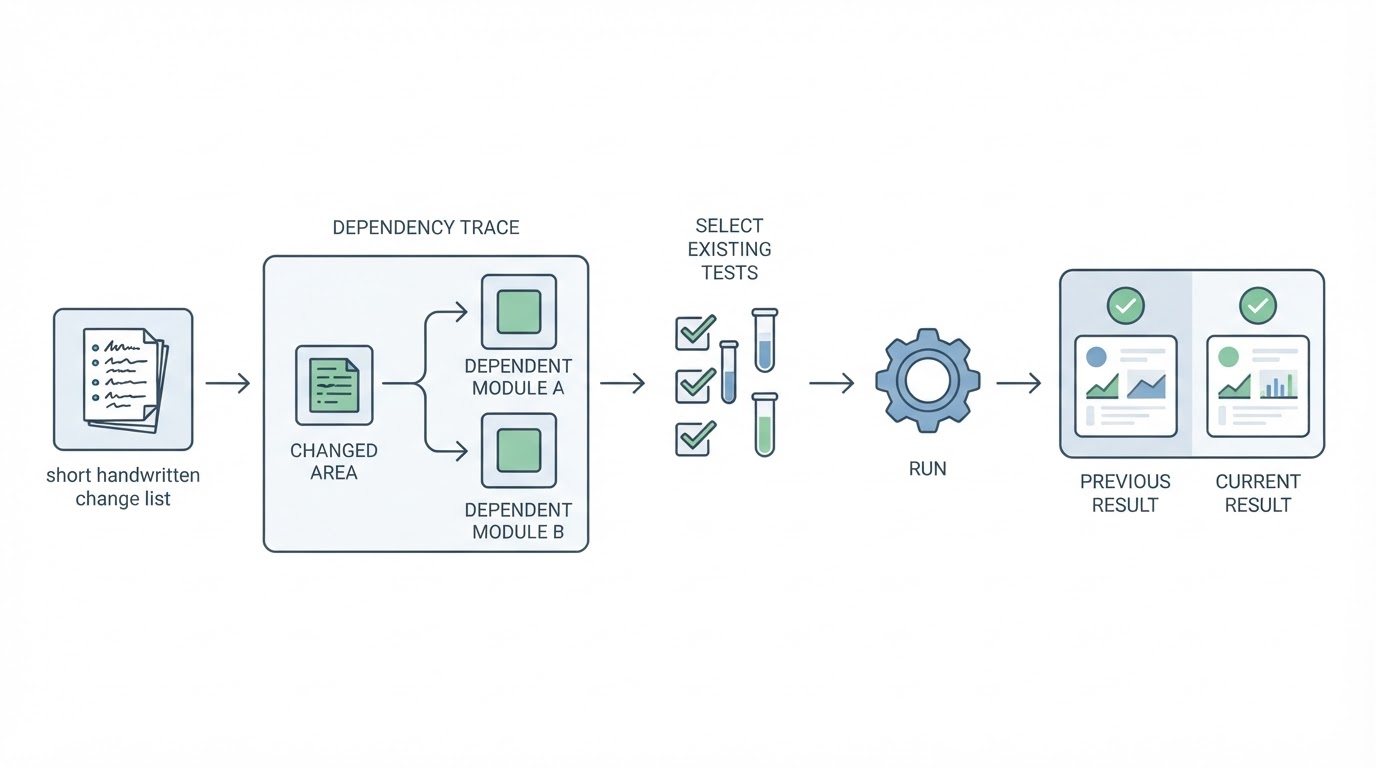
Step 1: Write down what changed. List the code areas, configuration, dependencies, and data shape that the change touched. Do this in plain language, because the person selecting tests may not be the person who wrote the diff.
Step 2: Trace what depends on it. For each changed area, ask which modules read from it, render it, or are triggered by it. A change to a tax calculation reaches the cart, the checkout summary, the invoice, and the order confirmation. Dependent modules are where regression selection earns its value.
Step 3: Pull the existing tests that cover those areas. Take the tests that already pass and already exercise the modified areas and the dependent modules you identified. Do not write new tests in this step; the goal is to select from what exists, and new-feature tests belong to a different task.
Step 4: Keep a standing set that never gets dropped. Some checks run in every cycle regardless of what changed: sign-up, sign-in, checkout, payment, and the one or two flows unique to your business. This is the safety net for step 2, because dependency tracing done from memory will sometimes be incomplete.
Step 5: Run the set and compare against the previous result. The comparison produces three outcomes, and they require different responses.
Outcome | What it means | What to do |
|---|---|---|
Same result as before | The compared behavior is unchanged | Accept, and keep the result as the next baseline |
Different result, same expected value | A regression candidate | Isolate the change, decide whether it is a bug, fix or file it |
Failure caused by a stale expectation | The scenario no longer matches intended behavior | Update the expected result deliberately, not by suppressing the check |
The third outcome is where most regression programs lose their credibility. If every red run is treated as a bug, the set becomes noisy and people stop reading it. If every red run is treated as a stale scenario, real regressions get waved through. The decision needs to be made explicitly, per failure, and recorded so the next person knows why an expectation changed.
The honest limitation of this method is step 2. Dependency tracing is the step most likely to be wrong, and no amount of tooling removes the judgment from it. A missed dependency produces a green run that tells you less than you think it does. Treat a passing run as evidence about the tests you ran, never as evidence about the parts of the product you skipped.
Where ordered processes and run evidence help
Everything above works with a written change description and a folder of recorded results. BuniOD, an AI test-automation platform for web applications, covers four mechanics that map onto this procedure. Confirmed scenarios can be grouped into ordered business processes that run in sequence, and when an earlier scenario in a process fails, the scenarios that depend on it are skipped instead of producing a cascade of false failures, which is close to the dependency tracing described above. Runs happen on demand or once a day at a time you choose, so the recurring slot has a fixed place. A failed run names the exact step or check that failed and carries a plain-language explanation framed as a choice between a product bug and a scenario that needs updating, and failed runs are not retried automatically, so a red result is the real result. Every run keeps the result of each step and check, a screenshot, and the browser's console and network logs, so a failure can be reviewed without reproducing it by hand.
Keeping the regression set relevant as the product changes
A regression set decays in a predictable way. Tests accumulate for features that were removed, expectations harden around behavior that was intentionally redesigned, and checks that never fail quietly become noise. Keeping the set useful is maintenance work, and it has four recurring tasks.
- Retire tests for behavior you removed. A test for a deleted page or a discontinued plan is not coverage; it is a false failure waiting to happen.
- Update expectations when a change of intent is deliberate. When a redesign or a rule change is approved, change the expected result in the same review, and record why. An expectation updated without a reason is indistinguishable from a check that was silenced.
- Promote checks that caught real problems. When a regression run finds a genuine break, that check has demonstrated its value. Keep it in the standing set rather than letting it fall back out of rotation.
- Re-examine the set after an incident. If a break reached production, ask which existing test should have caught it and why it was not in the selected set. That question is the most reliable source of new regression coverage you will find, because it comes with a real failure attached.
The resulting habit is small: a change log, a dependency trace, a selected set drawn from existing tests, a comparison against the previous run, and a periodic review of the set itself. That loop answers the question regression testing exists to answer, which is not whether the product works, but whether it still works the way it used to.