What separates a test suite from a test case
A test case is a single check with a single expected result. Open the cart, remove the last item, confirm the total drops by that item's price: that is one case. A test suite is a group of those cases you decide to run and read together, usually because they cover the same area, the same risk, or the same journey.
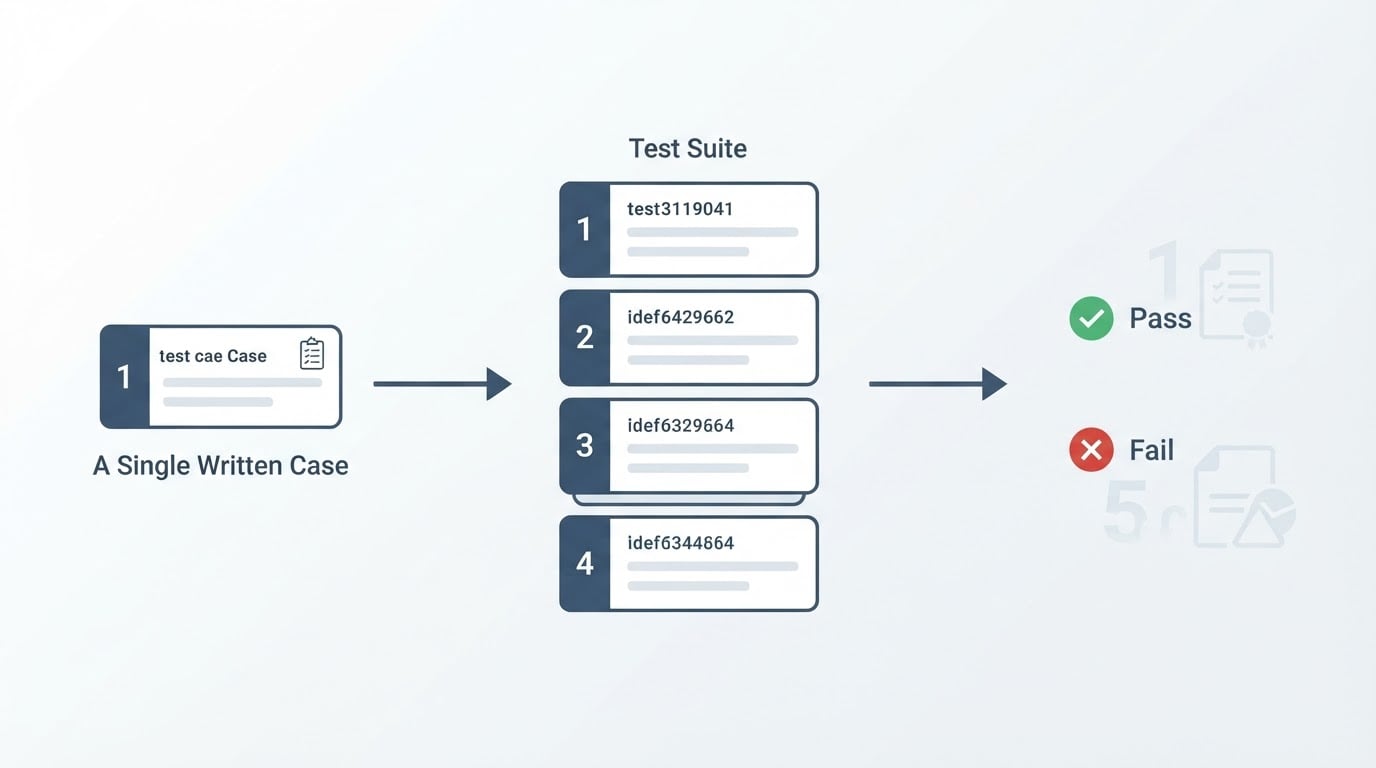
The two words get used interchangeably, and that ambiguity surfaces in planning. "We have 400 tests" can mean 400 individual checks or 40 suites of 10. Those numbers are not comparable, and the work behind them is not either.
Unit | What it answers | Example from a checkout flow |
|---|---|---|
Test case | Does this one step produce this one result? | Enter an expired card; the page shows a decline message that names the card |
Test suite | Is this whole area still working? | All 14 payment cases, run together before a release |
Test plan | What are we checking this cycle, and why? | Payments, refunds, and tax for the next release |
Test run | What happened the last time we executed the suite? | 12 of 14 passed; 2 failed with the same console error |
Two consequences follow. First, a suite is a container with a reason attached: if you cannot finish the sentence "this suite tells us whether ___ still works", you have a folder, not a suite. Second, the boundaries are yours to choose. The same 14 payment cases can live as one payment suite, split into a short pre-release suite and a longer exhaustive one, or nested inside a checkout suite.
Keeping those four words apart in status updates pays off: "the smoke suite passed, the regression suite is 12 of 14" tells a release owner far more than "testing is nearly done".
The kinds of suites you will actually end up running
Most teams end up with five or six suites instead of one master list, because each answers a different question and each tolerates a different runtime.
Suite | Question it answers | When it gets run | What belongs in it |
|---|---|---|---|
Feature suite | Is this one area intact? | After a change lands in that area | Every case for that screen or service, each one self-contained |
Smoke suite | Is this build stable enough to test at all? | On every new build, before deeper testing | A handful of critical paths and nothing exploratory |
Regression suite | Did behavior customers already depend on change? | Before each release, plus a fixed cadence | Cases for shipped behavior you intend to keep |
Journey suite | Does a complete user task finish end to end? | Before a release and after risky changes | Cases that hand state from screen to screen: sign up, browse, cart, pay, confirm |
API or integration suite | Do the services still agree with each other? | On every change to a service | Requests with expected payloads and error codes, no browser involved |
Variant suite | Does the same behavior hold for other data or setups? | Nightly, or before a wide release | The same case repeated with a second currency, language, or role |
Suites also nest, and the nesting is useful rather than fussy. A release suite can be a list of other suites with one entry per area: payments, accounts, search, checkout. When it goes red in one area, you read that area's suite and ignore the rest.
Two of these are worth building early. The smoke suite protects your own time, because it says whether a build deserves deeper testing at all. The journey suite earns its place because a flow crossing four screens can pass every individual screen case and still break between them.
A worked example: the checkout suite
Here is a small payment suite for a store, written the way you would write it in a shared document. Nine cases, one area, one question: can a customer pay for what is in the cart?
- A guest adds one item to the cart and sees it listed with the correct price.
- A signed-in customer sees their saved address at checkout without retyping it.
- A valid discount code reduces the order total by the stated amount.
- An expired discount code shows an error and leaves the total unchanged.
- An expired sandbox card is declined, and the message names the card rather than showing a generic failure.
- A successful payment lands on the confirmation page, and the order number shown there also appears in the order record.
- Switching the shipping option updates the total before payment.
- Checkout with an empty cart is not possible; the continue action stays unavailable.
- Leaving checkout mid-payment and coming back keeps the cart contents.
What got left out matters as much as what went in. Confirmation email rendering is a separate suite because it depends on a mail service that fails independently. Tax calculation for five countries belongs in a variant suite, where one case runs against five data rows. Refunds are their own feature suite, since they start after an order exists and follow a different code path.
Cases 5 and 6 depend on the cart state built in cases 1 through 4. Either order the suite so each case runs after the state it needs, or give every case its own setup and pay for the extra minutes. Pick one and state it in the document; mixing the two halfway through is how a suite starts producing failures nobody can reproduce.
How to build a test suite without any tool
You need one shared document, a naming rule, and half an hour. All of the following works in a spreadsheet, a wiki page, or a notebook: no framework, no account, no install.

- Name the thing that must keep working. Write one sentence in your customer's words, not the system's: "A customer can pay with a card and get an order number." That sentence is the suite's reason to exist, and the test for whether a case belongs in it.
- Write the pass condition before the cases. Decide what has to be true for the suite to count as passed: every case green, or the critical cases green with the rest reported separately. Writing this first stops the suite drifting into a list of everything anybody ever checked.
- Write cases one behavior at a time. One action, one expected result, described so a person who has never used the product could execute it. A case that asserts five things takes five times as long to diagnose and gives an unclear verdict in the meantime.
- Order the cases, or reset state. Chain them so each case starts where the last ended, or give each its own starting setup. Chained suites run faster and fail in cascades; independent cases run slower and fail in isolation. Both are legitimate, as long as the document says which you chose.
- Group, name, and number. A predictable name is a small gift to whoever reads the results: area, behavior, condition, in that order. Numbering lets you point at a case in a review without pasting three lines of prose.
- Record what passing looked like. Store the expected text, the test data used, and where the evidence goes. A case whose expected result says "works correctly" is not a case yet.
- Give the suite a trigger and an owner. Before every release, on the first build of the day, or after any change to payment code. One person answers for the suite; a suite with no owner is a suite that gets skipped.
- Set a rule for failures. Fix it, file it, or retire it, within a stated window. A red case nobody acts on trains the team to ignore red, which costs more than the case was ever worth.
Case ID | What you do | What you expect | Test data | Order |
|---|---|---|---|---|
CO-04 | Enter the expired sandbox card from the payment provider | Decline message names the card; the total stays unchanged | One item in cart, valid address | After CO-03 |
That row is the whole format. Copy it, add rows, keep the columns honest. The document is the suite; a runner is a convenience built on top of it.
What makes a suite useful instead of just long
Length is the least interesting property of a suite, and the one teams measure most often. Five things decide whether a suite earns its place.
Runtime decides whether it runs at all. A pre-release suite that takes an hour gets postponed on the day it matters most. Keep the critical suite short enough that running it is not a decision, and move the exhaustive cases into a longer suite with its own cadence.
Cascade failures hide the real problem. When cases run in order, one broken early case can make six later cases fail for reasons of their own making. Stale data, a missing login, a leftover cart: all of it looks like six bugs and is really one. Decide which failures are independent and mark the rest as blocked rather than failed.
Every case has to give the same verdict twice. A case that passes Monday and fails Tuesday with no code change teaches the team nothing and costs a morning. Store the exact data, wait for the interface to settle before asserting, and treat a flaky case as a defect in the suite rather than a fact of life.
Cases that assert nothing are expensive. A case that walks five screens and checks one sentence at the end buys a small guarantee for a lot of runtime. Cases that check nothing at all are worse, because they only add green.
Suites accumulate dead weight. A retired feature's cases keep passing for years and make the suite look healthier than the product. Delete or archive them; a suite's value is the assurance it gives, not the count it prints.
Keeping a suite readable a year later
Three habits keep a suite usable after the person who wrote it has moved teams. Name cases by behavior rather than ticket number, so the name still means something when the tracker is archived. Keep expected results as concrete strings and values, because "the total is 84.20 including shipping" can be checked by anyone. Record the build or commit a run happened against, so a green suite from three releases ago cannot pass for current evidence.
The fourth habit is a schedule for reading failures. Someone looks at every red case and decides, in writing, whether it was a product bug, a data problem, or a case that needs updating. That single practice separates a suite that finds regressions from a suite that generates notifications.
Where a tool takes over the bookkeeping
The method above works, and it works without software. What it does not do is survive volume. At some point the ordering rules, the setup state, the evidence from each failure, and the question of which cases depend on which become a second job on top of the testing.
That is where a tool earns its keep. BuniOD, the browser test automation product this site's team builds, applies the grouping idea to automated scenarios: they can be arranged into ordered processes that run in sequence, and when an earlier step in a process fails, the scenarios that depend on it are skipped instead of being reported as failures. A broken cart step does not also paint payment and confirmation red, which is the cascade above handled inside the run itself. Grouping is also the unit a person reads from: a dashboard reporting seven processes is easier to review before a release than twenty-four loose scenarios.
If you already have a spreadsheet suite your team trusts, you are not missing much, because the document is doing the work. A tool becomes relevant when the bookkeeping starts competing with the testing, or when the person running cases by hand is the same person who should be shipping.
A ten-minute review before you call the suite done
- Does the suite have one sentence naming what it protects?
- Could a person who has never used the product execute every case from the document alone?
- Does every case have one action and one expected result, written as something checkable?
- Is the starting state defined for each case, or explicitly inherited from the one before it?
- Does the suite say which failures should be read as blocked rather than broken?
- Is there a named owner and a trigger, not just an intention?
- Has anything been retired from the suite in the last few months?
If most of those answers are yes, the suite is doing its job. It turns a vague promise about quality into a short list somebody can run and a result somebody can act on.