Three Jobs AI Can Take Off a Test Team's Hands
Browser automation has always meant code. Someone writes selectors, page objects and waits, a framework drives them, and a maintenance roster keeps the suite alive. The interesting thing about AI in test automation is not that it can write that code faster; it is that it can take over three narrower jobs that used to consume most of the effort, each with its own way of going wrong.
1. Plain-language intent becomes a runnable scenario
Instead of translating an acceptance criterion into locators, you describe the steps and the expected result the way you would brief a manual tester. The tool then works through the live application in a browser, finds the element each step refers to, and records the sequence as a scenario with checks attached to it.
Two things change when this works. The authoring bottleneck moves, because the person who owns the requirement can draft the test instead of handing it to whoever knows the framework. And the review burden moves, because what you approve is a description of behaviour rather than a wall of code, so a product manager or designer can read it and object.
The failure mode to watch for is confident-looking mapping. If a step is attached to the wrong element, the scenario still reads correctly, still runs, and still passes, for the wrong reason.
2. Moved elements stop becoming maintenance work
Every selector-based suite has a shelf life measured in redesigns. A button moves into a new container, its ID changes, and a test that verified checkout last month now fails without anything in checkout being wrong. Most of the time a team spends "on automation" is really time spent on this.
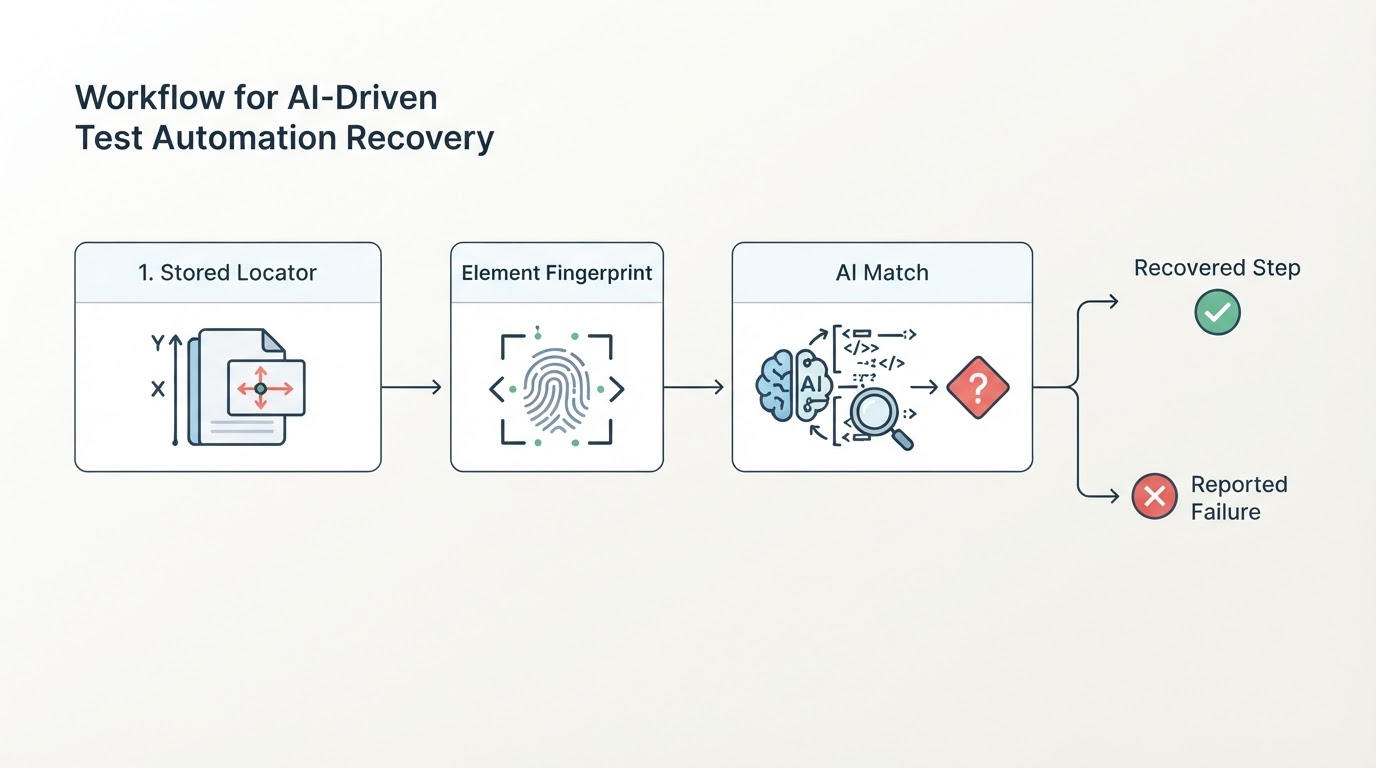
AI matching attacks the problem in stages: the tool retries the stored locator, then element fingerprints, then a model-driven match before it reports a failure, and it can save the new location after a passing run so the next run starts from the corrected locator. That removes a class of work, updating selectors and waits, rather than making each individual update faster.
Two boundaries matter here. Recovery is scoped "where supported", and a genuinely changed flow still needs an updated description that a person reviews. And silent repair is a real risk: if the tool re-points a step at a different element and the run goes green, you want the change recorded and reviewable rather than quietly absorbed.
3. Failures arrive with an explanation, not a stack trace
A failing run in a pipeline usually hands you a trace and a red badge. The question the team actually asks is a different one: is this a bug in the application, or a scenario that no longer describes what we intended? Answering it costs someone a context switch into code they may not own.
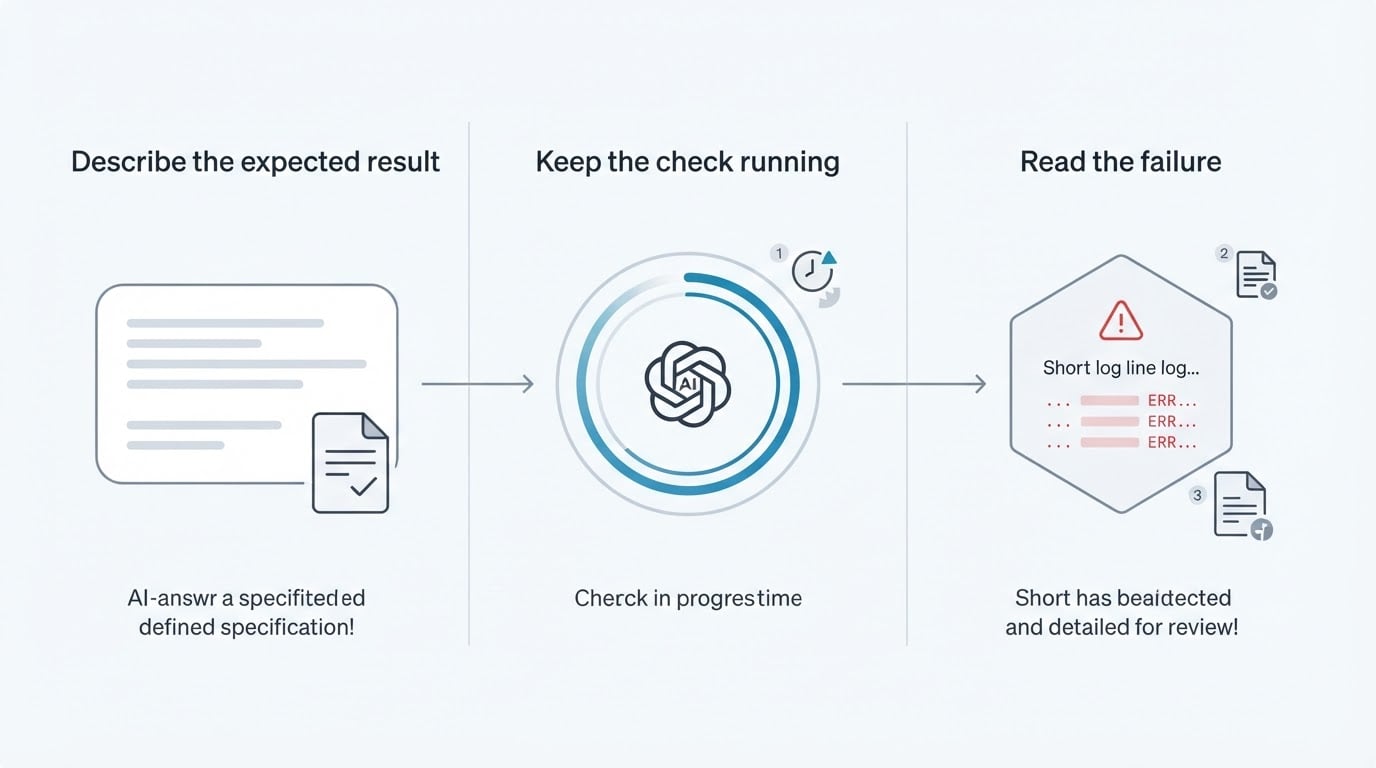
AI can take that reading job. In a well-built flow, a failed run can report which step or check failed and explain in plain language why it stopped, delivered next to the run's step screenshot and logs so nobody has to reproduce the flow to see what happened. For a small product team that is the difference between triaging three overnight failures before standup and deferring them to whoever is least busy.

It is also the job that is easiest to over-trust. An explanation is a hypothesis written in confident prose, and the checks below are how you find out how often it is right.
The same three jobs, in one product
BuniOD is a concrete example of this pattern, and it is worth walking through because its scope is narrow enough to see the mechanics. This article is published by the team behind BuniOD, so read the description below as the product's documented behaviour rather than an independent benchmark.
In BuniOD, you write the test steps and the expected result in plain language. The product drives the live application in a browser, records a runnable scenario with each step matched to a real page element, and adds the checks for the expected result; the scenario keeps the test data it used alongside those checks. Nobody writes selectors, page objects or test code to get that far.
On the maintenance job, when an element moves, BuniOD works through a fixed recovery order of stored locators, then element fingerprints, then AI matching before a step fails, and it saves the new location after a passing run rather than during a failing one. The scope is stated "where supported": an intentionally changed flow still needs an updated description that a reviewer approves.
On the explanation job, a failed run names the exact step or check that failed and carries a written explanation framed as a bug-versus-scenario decision, shown next to the same run's step screenshot and logs. Failed runs are not retried automatically, so a red result is the real result rather than a flake waiting to be retried into green.
The honest shape of that scope: runs happen in a real headless desktop Chromium browser, and generated scenarios stay in review until a person confirms them, with only confirmed scenarios included in runs. That is a reviewer-in-the-loop model, not unattended autonomy, which is exactly why the checkpoints further down are about review and evidence rather than raw generation speed.
Three Checks That Keep AI Honest
Each of the three jobs has a matching way to fail, and each failure is cheap to test if you test it before committing. None of these checks needs a benchmark; each needs one flow you already know well.
Fabricated syntax and invented assertions
Generated code can reference outdated syntax, and a generated assertion can state something that reads plausible without being your business rule: a total any positive number satisfies, a confirmation message that appears on both the success and the failure path.
Test it on a scenario you understand line by line. Compare every generated assertion against your acceptance criteria, then break the feature in staging on purpose, changing a price or forcing an error state, and see whether the scenario notices. A scenario that survives a deliberately broken flow will survive real regressions too.
Missing business context
A model cannot know which of your flows carries the revenue. Left to itself it will generate plenty of coverage and possibly none of it on the three screens that matter. Deciding what is business-critical stays with your team; the tool's job is to make that decision cheap to express and cheap to check.
Test it by asking for coverage of your two money flows with no extra hints, then asking whether the result would have caught your last production incident. If it would not, the authoring is fine and the targeting is not.
Token and API costs that move with usage
Model work is metered. Scenario generation, regeneration after an edit, and every automated recovery attempt consume tokens or API calls, so cost scales with how often you author and how often runs fail. A price list rarely tells you the monthly number.
Test it by running one realistic flow for a week and recording consumption, including one round of edits. If you cannot predict the figure within a reasonable margin, budget it as a variable cost and keep a ceiling rather than a target.
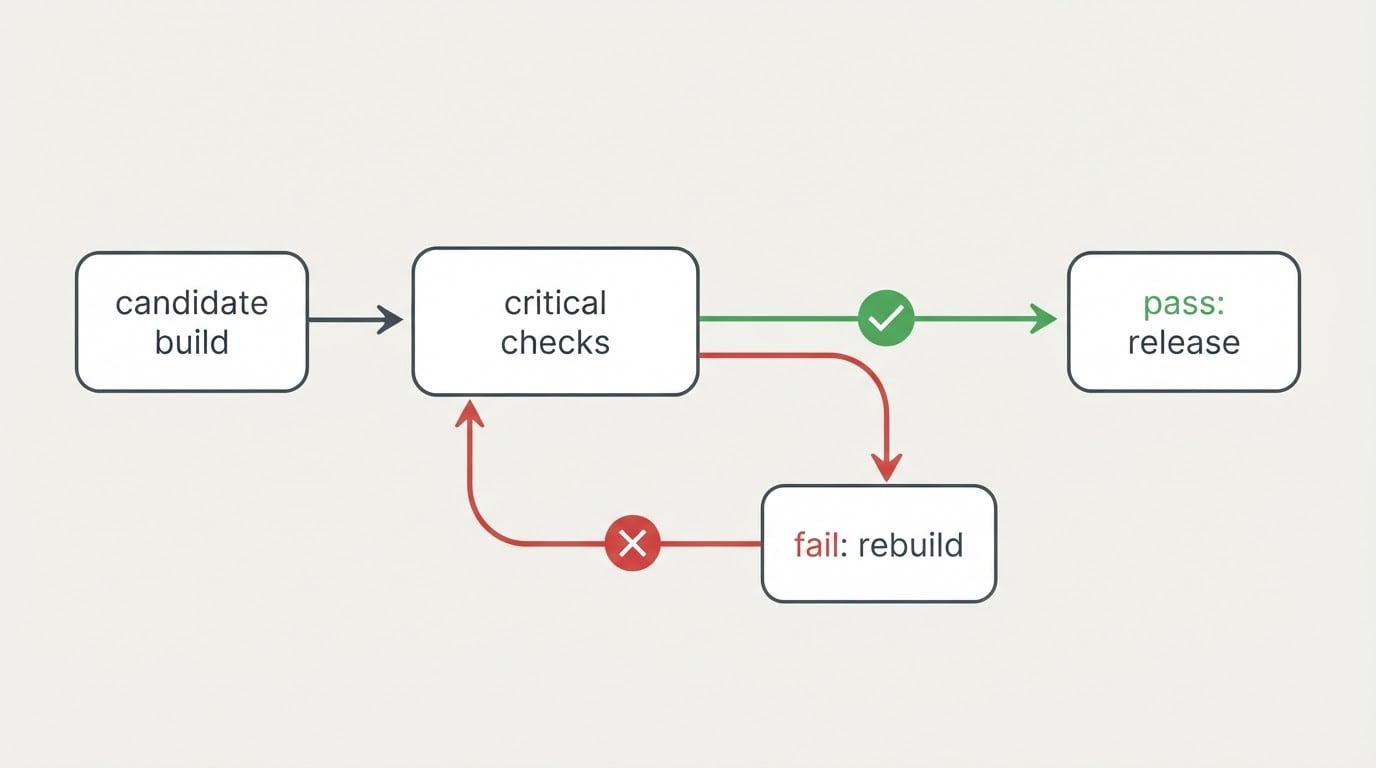
Run all three before you rely on the tool for a release gate, and keep the three areas separate in your notes: an assertion problem is a product feature to evaluate, a context problem is a process you own, and a cost problem is a contract to read.
Three Checkpoints Before You Commit
Tools in this category differ more than their demos suggest, and the class of tool you pick decides what to inspect first.
Four classes, four different jobs
Class of tool | Described as best for | Check before you commit |
|---|---|---|
Codeless and natural-language platforms | Writing complex tests entirely in plain English, often for enterprise flows | How far plain English gets before code is required, and who has to approve the result |
Intelligent UI and end-to-end testing | Fast test authoring with built-in self-healing | What the healing stores, and whether each repair is visible and reviewable |
Visual AI specialists | Cross-browser visual layout validation | How baselines are managed, and how many false positives the team absorbs per release |
Coding assistants and unit testers | Generating unit tests and edge cases inside the editor | Whether your team already has a repository-and-pipeline workflow to absorb them |
None of these classes is better in general; they answer different questions. Ask each vendor for its accuracy claims, its browser and device coverage, and how much autonomy it claims at runtime, then verify those three in staging instead of in the sales conversation.
Checkpoint one: authoring effort
Measure the distance between a written requirement and a confirmed scenario. Who can close that gap, the person who owns the requirement or an engineer? How much editing happens before the scenario is approved? Authoring effort that moves from engineering to the requirement owner is the whole promise of this category; if the tool still needs a developer to finish every scenario, you have bought a faster way to reach the same bottleneck.
Checkpoint two: maintenance behaviour
Change something small in staging, moving a button or renaming a field, and read the run report. Does the tool recover the step, and can you see what it changed? A recovery you cannot inspect is indistinguishable from a test that stopped checking what you meant. Look for repairs recorded after a passing run, an explicit "where supported" scope, and a human approval step for intentional flow changes.
Checkpoint three: review controls and the evidence a run leaves behind
Two things belong together here: what a person controls, and what a run leaves for them to read. On the control side, check who can approve a scenario, whether anything runs before approval, and whether an edit to an expected result is tracked. On the evidence side, check that per-step results, checks, screenshots, console and network logs, and a written explanation all come from the same run, so nobody has to reproduce the flow to understand it.
The three questions to carry into a trial
- Can the person who owns the requirement author and approve one scenario without an engineer?
- When an element moves, can I see what the tool changed and judge whether the step still checks what I meant?
- Does a failed run tell me, in plain language and with its own evidence, whether to file a bug or fix the scenario?
Answer those three on a single critical flow and the decision stops being about demos. The three jobs are worth having; the three checkpoints are how you know you actually got them.